
Quick Answer:
A workplace smart locker system replaces keys and padlocks with electronic, keyless locks that staff open using credentials they already carry, such as a building access card, a phone, a digital wallet pass, a PIN, or a touchscreen kiosk. Choosing the right one is less about the lockers themselves and more about the fundamentals: how people get access, how well it fits your existing building and identity systems, how secure it is, how flexible the software is, how neatly it sits within your fit-out, and the total cost over time.
Smart lockers have become one of the most useful pieces of technology in the modern office. As workplaces have shifted to hybrid schedules and hot-desking, the old model of permanent desks and assigned lockers for every employee no longer fits. Additionally, clear-desk policies mean staff cannot leave laptops or documents lying around, so they still need secure storage.
This guide is a practical, vendor-neutral walkthrough of how workplace smart locker systems work, the types available, what they cost, and the ten things to evaluate before you buy. It is written for facilities managers, workplace strategists, IT teams, architects, and designers who are specifying a system in 2026.
What is a workplace smart locker system?
A workplace smart locker system has two parts that work together:
- Smart locks fitted to each locker door, instead of a key cylinder or padlock.
- Management software that controls who can open which locker, when, and how, and gives facilities and IT teams a dashboard to manage everything.
Instead of issuing physical keys, the system grants access through credentials people already have. The result is a bank of lockers that can be assigned, shared, booked, audited and reconfigured entirely in software, with no keys to cut, lose or replace.
This is the key difference from a traditional locker: a smart locker is a connected, managed resource, not a static piece of furniture.
What are the benefits of smart lockers in 2026
Smart lockers solve for three common pain-points in modern, hybrid workplaces. The three shifts driving adoption are:
- More people than desks. Hybrid and activity-based working mean most staff no longer have a permanent desk and the desk drawer that came with it. But they still need somewhere secure to put a laptop, documents or bag when they are in the office. Smart lockers fill that gap by providing flexible, secure storage without requiring a dedicated locker for every person.
- The cost of manual administration. Keys get lost, lockers get hoarded, and facilities teams spend hundreds of hours a year re-keying, reassigning and auditing. Smart locker software removes most of that manual admin work.
- Pressure on floor space. Commercial floor space is expensive, and a wall of permanently assigned, half-empty lockers is a poor use of it. Shared, smart lockers let a smaller bank serve far more people.
Organisations that move to a shared, software-managed model commonly reduce the number of lockers and the floor space they need by up to 30 per cent, while improving the day-to-day experience for staff.
The main types of workplace smart locker (and how they are used)
One platform can usually run several locker behaviours at once, mixed and matched across a floor. The common types:
| Locker type | How it works | Typical use |
|---|---|---|
| Assigned / permanent | Long-term storage tied to one person | Full-time staff, executive zones, specialist teams |
| Hot / day-use | Claimed when needed, released back to the pool at end of day or week | Hybrid teams, hot-desking floors |
| Team / shared | One locker, multiple authorised members | Project teams, legal, IT, confidential work |
| Visitor / PIN | Temporary PIN access, no account needed | Visitors, contractors, short-term users |
| Asset / equipment | Issue and return shared devices | Laptops, AV kits, IT equipment exchange |
| Parcel / mail | Secure drop-off and pickup | Inbound parcels, internal mail |
| End-of-trip (EOT) | Secure storage in cycle/shower facilities | Staff who cycle, run or commute actively |
The ability to mix these on the same hardware is what makes a good smart locker system adapt as teams and ways of working change, without ripping out and replacing anything.
Wired vs wireless smart locks
There are two main hardware approaches. Neither is universally better; the right choice depends on the project.
| Wired (hardwired) locks | Wireless locks | |
|---|---|---|
| Power and data | Run through the locker joinery to each door | Battery powered, no cabling through the joinery |
| Best for | Permanent, high-traffic banks; highly reliable connection | Retrofits, free-standing lockers, end-cap lockers, floors that get reconfigured |
| Install | More cabling and joinery coordination | Quicker to fit and easy to reconfigure |
| Extras | Can support in-locker device charging | Minimal infrastructure required |
A strong system offers both, so you can specify hardwired or wireless banks when it makes sense for your use case.
How to use a smart locker?
Modern systems support several keyless access methods, and the best ones let you use the credentials your building already runs on:
- Building access card / RFID: the same pass that opens the front door
- Mobile app: tap to unlock from a phone
- Digital wallet: Apple Wallet and Google Wallet
- PIN code: useful for visitors and temporary access
- Touchscreen kiosk: a shared screen at the locker bank
- Workplace apps: opening or booking a locker from tools like Microsoft Outlook/Teams or your workplace app
Reusing existing credentials matters: it removes the overhead of issuing and tracking anything new, and it means there is nothing extra for staff to carry or remember.
How to choose a workplace smart locker system: 10 things to evaluate
Use these ten criteria as a checklist when comparing options or writing a specification.
- Credentials and access: Can people use the access card, phone or wallet they already have? Are there PIN or mobile secondary access methods? Avoid systems that force a separate key, fob or app for lockers alone unless absolutely necessary, and make sure you have multiple access methods.
- Integrations: Does it connect to your existing access control and identity systems? Deep integration is what makes provisioning automatic rather than manual.
- Security and data: Look for recognised information-security certifications (such as ISO 27001), encryption of data in transit and at rest, and a clear position on where data is stored. Enterprise IT and security teams will assess this closely.
- Hardware flexibility: Can the system run on both wired and wireless locks, and retrofit onto existing lockers? This protects you from being locked into one approach.
- Software flexibility: Can a single platform run assigned, hot, team, visitor, parcel and equipment lockers, and let you change a locker’s behaviour without a site visit?
- Scalability and multi-site management: If you have more than one floor or location, can you manage everything from one dashboard, with consistent rules across sites?
- Analytics and utilisation data: Good systems show you real occupancy and usage, so you can right-size your locker count and prove the business case.
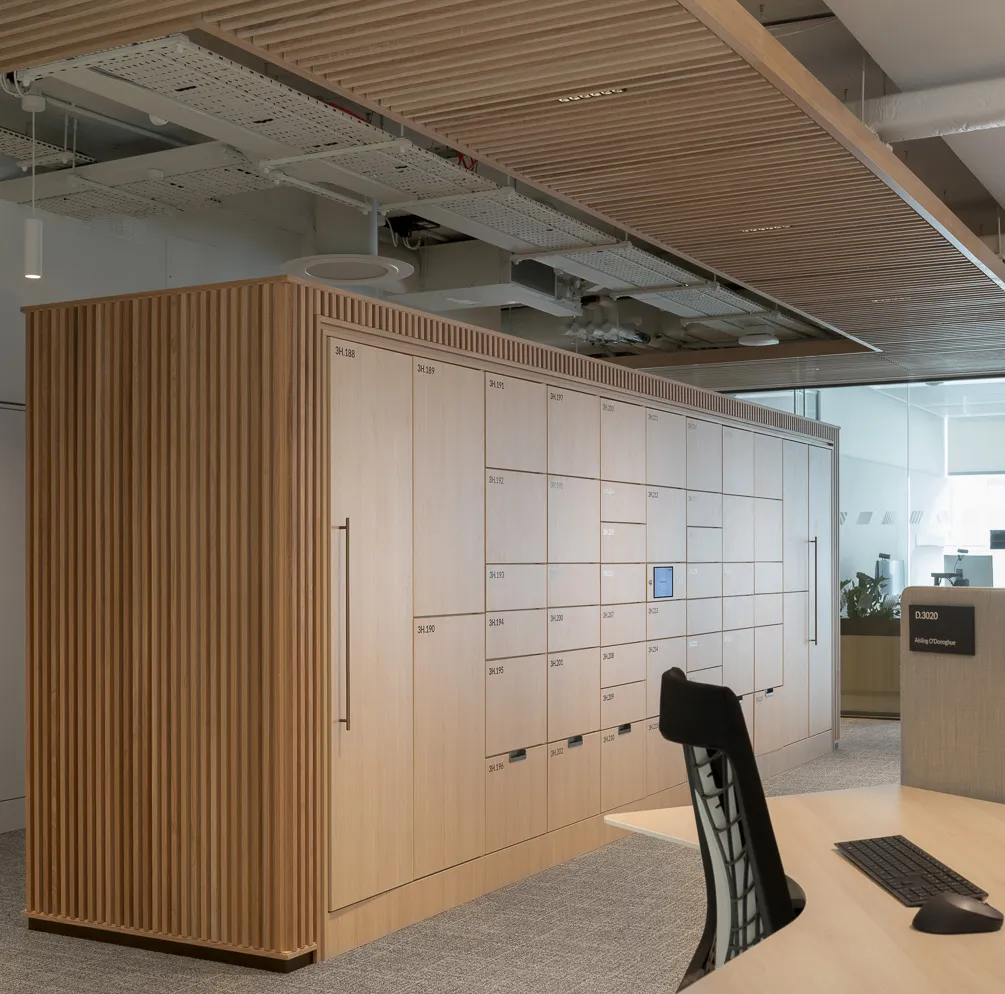
- Design and joinery integration: For premium workplaces, the hardware should be minimal and flush, with finishes and joinery that suit the fit-out rather than fight it. Ask how the locks and kiosks are mounted and finished.
- Deployment model: Can it run in the cloud, or fully on your own servers if your organisation requires data to stay in-house? Different regions often need particular deployment options.
- Support, lead times and total cost: Confirm hardware lead times, warranty, ongoing support, and the full cost picture, including the recurring software subscription, not just the upfront hardware.
How much does a workplace smart locker system cost?
There is no single price, because cost depends on the project. The main factors:
- Number of lockers
- Lock type (wired locks are slightly lower cost compared to wireless, although require kiosk hardware)
- Number of kiosks at each locker bank
- The joinery itself (the physical cabinetry, usually quoted separately by a joinery supplier along with installation)
- Software subscription (an ongoing per-locker fee that covers the platform, updates and support)
- Integrations (added to ongoing fee)
One principle is worth knowing: because shared models need fewer lockers than one-per-person, the right system can lower the total spend even before you count the time savings, so it makes sense to weigh the total cost of ownership over several years rather than the day-one hardware price alone.
What to expect when implementing
A typical rollout looks like this:
- Discovery and sizing: how many lockers and which behaviours you need, based on people per floor, attendance patterns and the locker-to-person ratio.
- Design and joinery coordination: agreeing finishes, layouts and how the locks integrate into the cabinetry.
- Integration setup: connecting to your access control and identity systems, including single sign-on, so onboarding and offboarding happen automatically.
- Install and go-live: fitting the locks and kiosks, then activating the software.
- Training: getting the facilities team comfortable with the dashboard and agreeing what each locker bank is for.
- Day-one onboarding and communications: letting staff know how to use the lockers, with the system sending automated allocation notifications.
- Monitor and adapt: using the dashboard to track real usage, spot hoarding, and manage waitlists, adjusting the mix of locker types as needs change.
Measuring the ROI: space, time and experience
The business case for smart lockers usually rests on three measurable outcomes:
- Space: up to 30 per cent fewer lockers, giving you more floor space, by sharing rather than assigning lockers.
- Time: facilities teams typically recover hundreds of hours a year per 100 lockers that would otherwise go on lost keys, locker allocation spreadsheets, manual offboarding and utilisation audits.
- Experience: staff get secure storage on demand using credentials they already carry, with no keys to lose, which removes a constant daily friction.
Frequently asked questions
What is a workplace smart locker?
A locker fitted with a smart lock instead of a key cylinder or padlock. The lock is electronic and keyless, opened with a credential such as an access card, phone or PIN, and managed centrally through software.
Do smart lockers need power and cabling?
Wired locks run power and data through the locker joinery. Wireless locks are battery powered and need no cabling, which makes them faster to fit and easy to reconfigure. Many workplaces use a mix.
Can smart locks be retrofitted onto existing lockers?
Yes. Wireless locks in particular can be retrofitted onto existing cabinetry, so you do not always need new joinery.
How do people open a smart locker?
With the credentials they already use: a building access card, a mobile app, a digital wallet pass, a PIN, or a touchscreen kiosk. Some systems also allow access from workplace apps like Microsoft Teams or Outlook.
Are smart lockers secure?
A well-built system uses encryption, recognised security certifications such as ISO 27001, and audit logs of who accessed which locker and when. For sensitive environments, look for the option to host data on your own servers.
Can a smart locker system integrate with our building access control?
The better systems integrate directly with common access control and identity platforms, so staff use one credential and provisioning happens automatically when people join or leave.
Assigned or hot lockers, which should we choose?
Most modern workplaces use a mix: assigned lockers for full-time staff or specialist teams, and hot (day-use) lockers that are released back to the pool each day for hybrid staff. A good platform runs both on the same hardware.
How much do workplace smart lockers cost?
It depends on locker numbers, kiosks, joinery, integrations, and the software subscription. Because shared models need fewer lockers, the right system can reduce total spend while saving admin time.
Are smart lockers good for sustainability?
A shared-locker model reduces the number of lockers and the floor space a workplace needs, which lowers material and energy use and can contribute to green building ratings.
Published by Yellowbox
This guide was published by Yellowbox. We build workplace smart locker systems – the locks, the access and the management software behind them – for more than 300 workplaces across 19 countries. We were named the Best Workplace Technology from the Clerkenwell Design Week Awards in 2026.
We wrote this as the neutral guide for smart locker buyers. If you are scoping a system and want to pressure-test it, our team is happy to talk you through it.
Planning your workplace locker strategy?
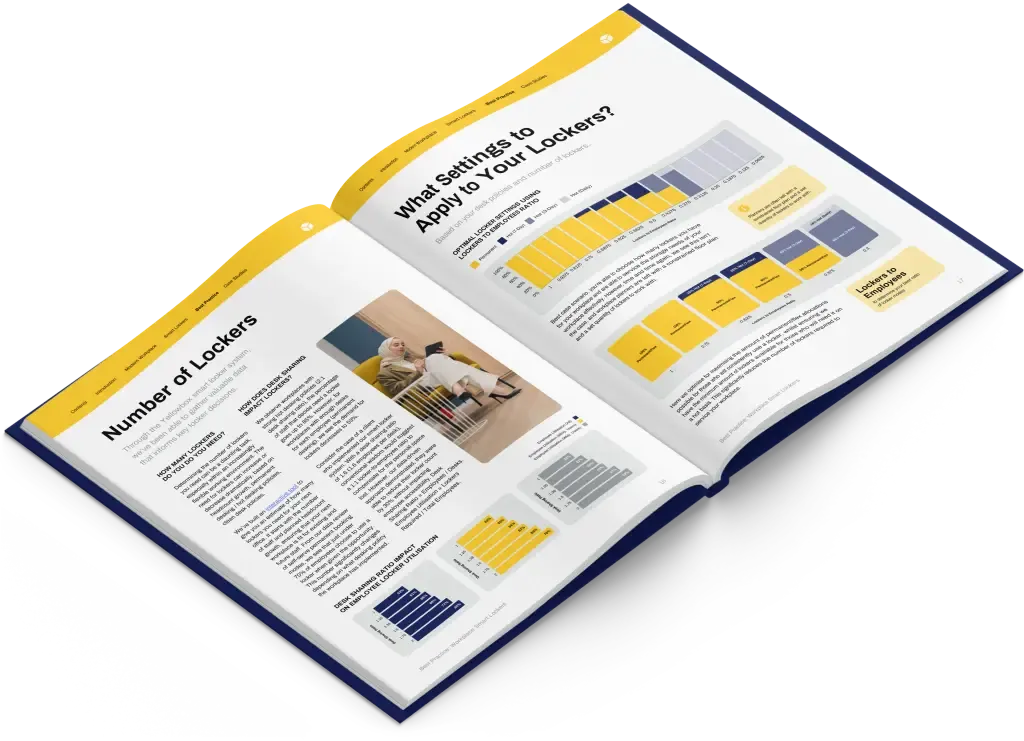
Get the best-practice guide to planning, implementing and managing workplace lockers, with insights from hundreds of workplaces.