Limit access to the right cabinets
Assign each cabinet to the people and teams who need it. Staff, tenants and contractors can only open the racks assigned to them, so a lost key no longer exposes a whole hall.
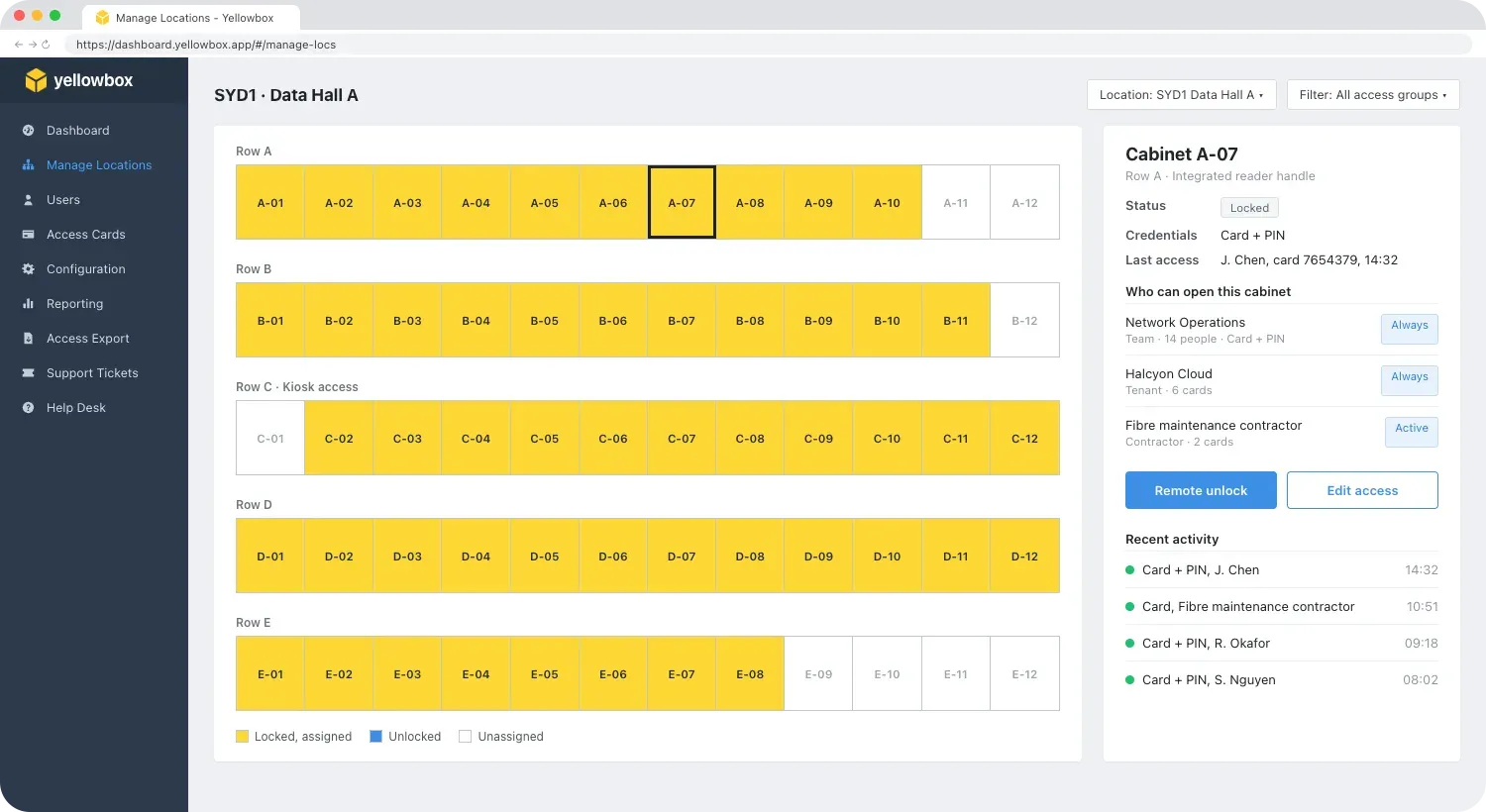


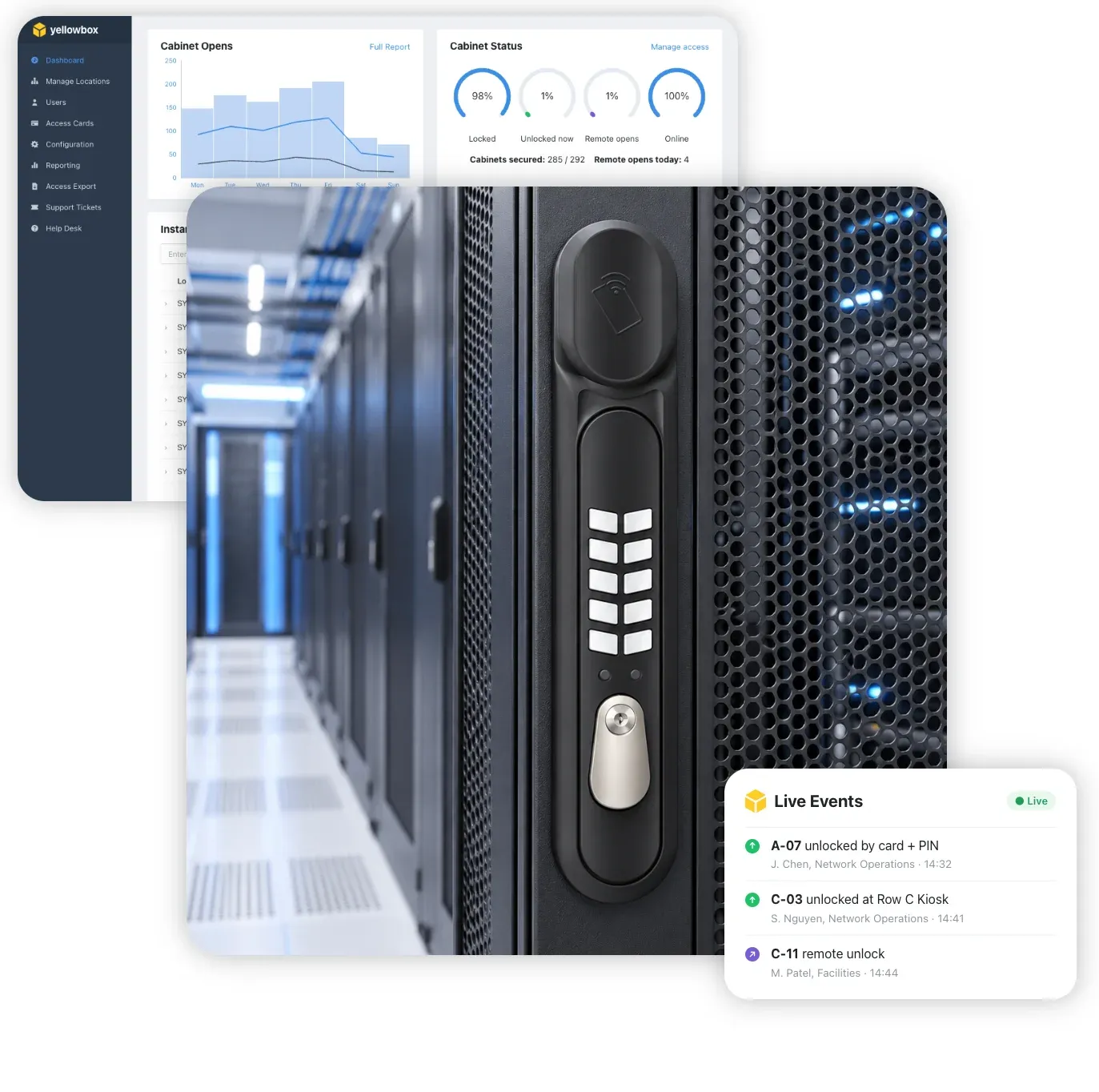
Server cabinet locks for data centres, colocation facilities and enterprise server rooms. Tap at the cabinet door or tap at the rack, and manage access to every cabinet from the Yellowbox Dashboard.
Yellowbox smart locker and access technology is trusted by global technology, telecommunications and finance leaders










Give every engineer, tenant and contractor access to only the racks they need, and remove it the moment they no longer do.
Assign each cabinet to the people and teams who need it. Staff, tenants and contractors can only open the racks assigned to them, so a lost key no longer exposes a whole hall.
At the rack, the Yellowbox Kiosk reads RFID access cards, HID Mobile, Apple Wallet and Google Wallet, so people can keep using their compatible building credentials. Tap at the Kiosk and the assigned cabinet unlocks.
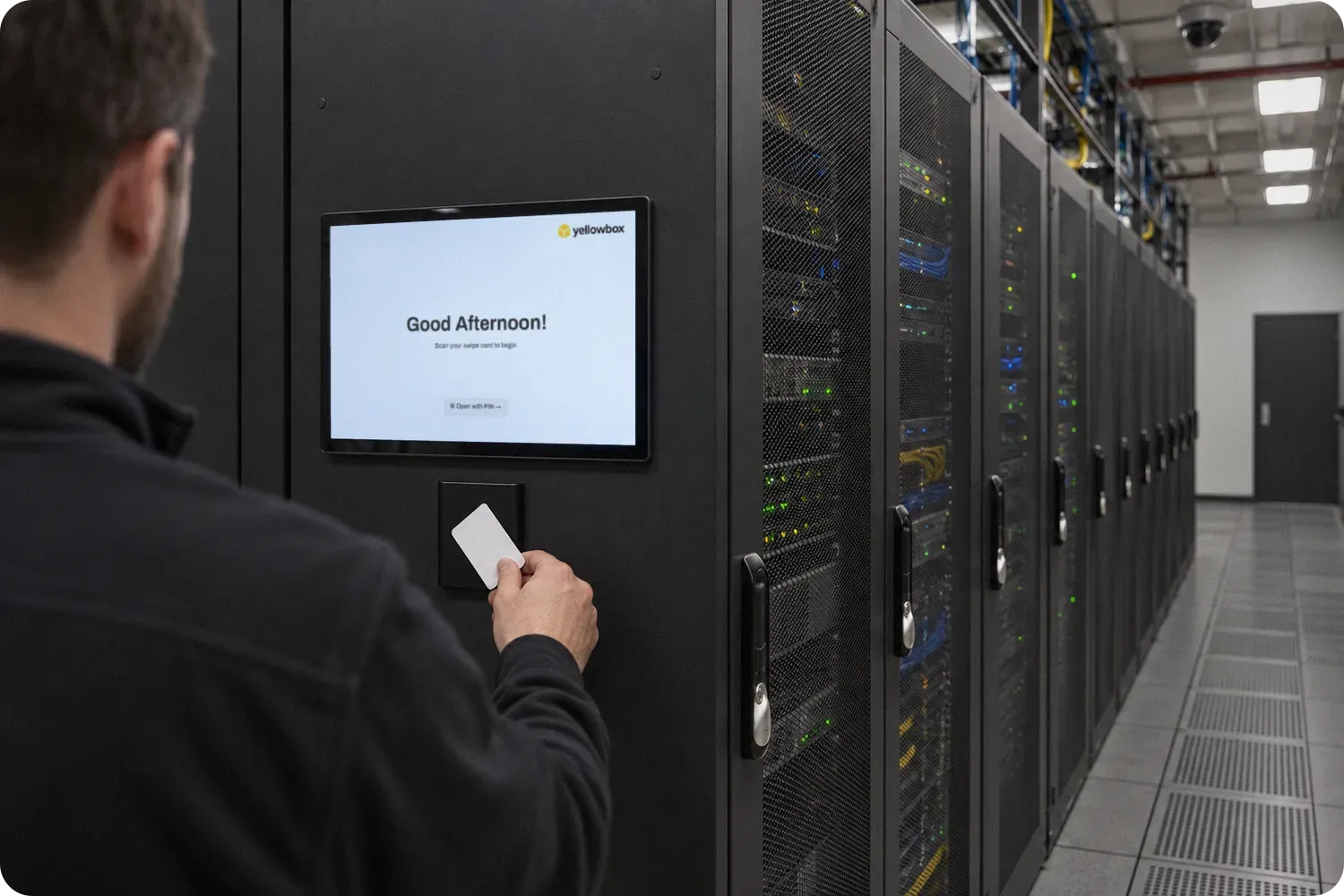
Replace master keys and key registers with access cards, PINs and the Kiosk. Issue, change or cancel access in seconds, without collecting keys or re-keying locks.

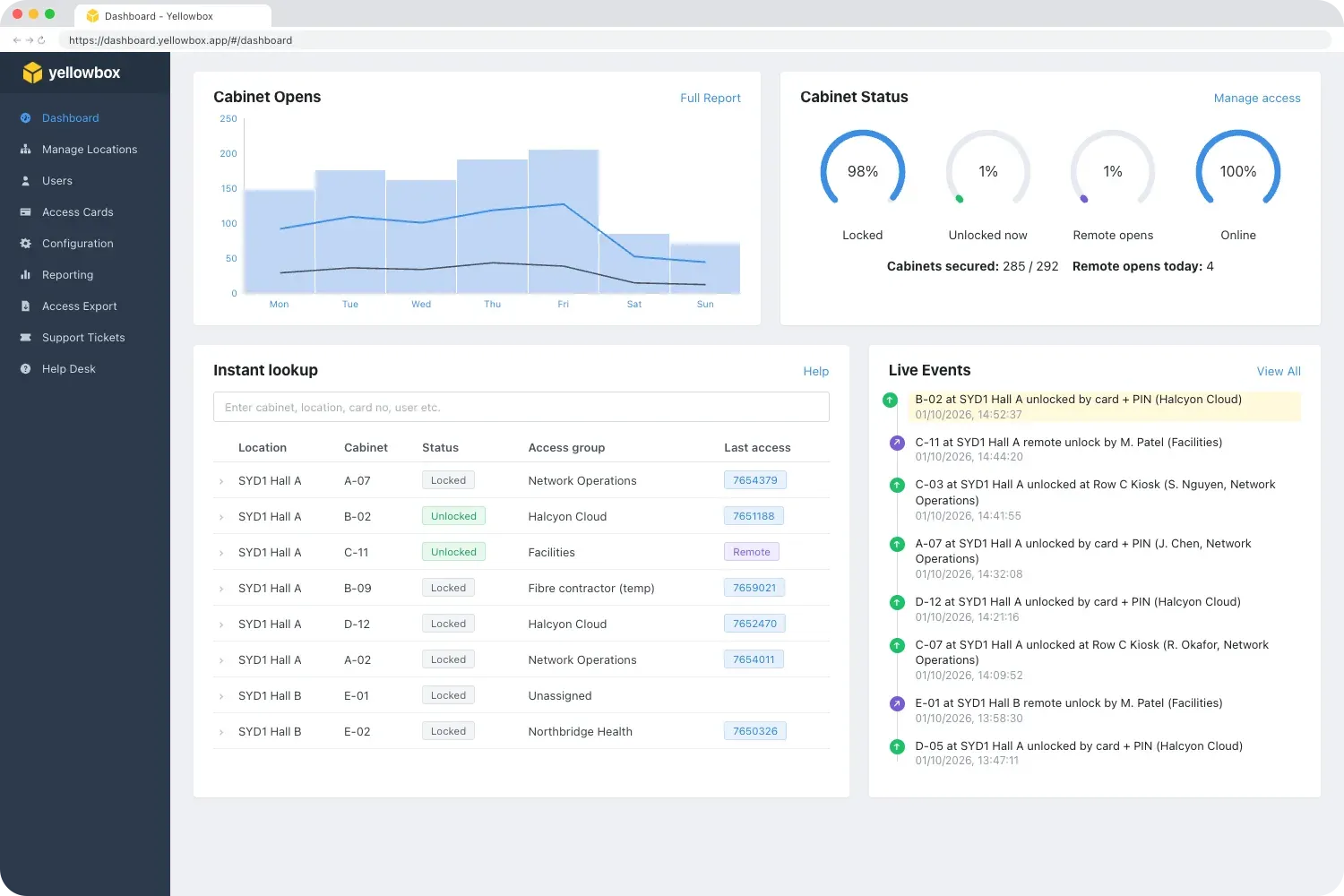
Card, PIN, Kiosk and remote unlocks are recorded with the cabinet, user and time. Export cabinet access history for audits, customers and incident reviews.
Two ways to open a server cabinet, both managed in the Yellowbox Dashboard. Choose one, or mix both across your facility.
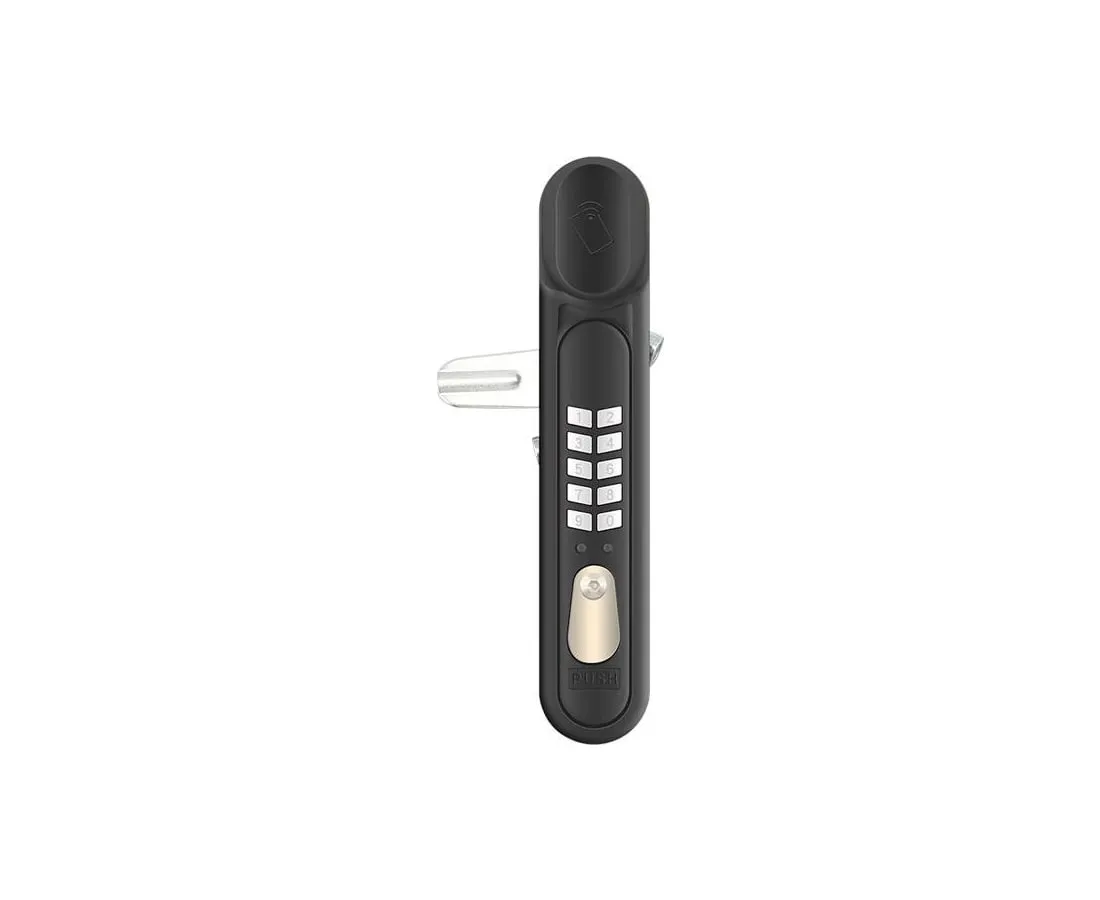
An electronic swing handle with a card reader and keypad built in, so each cabinet checks access at its own door. Open with a card, a PIN, or card + PIN dual authentication for sensitive racks. IP65-rated zinc alloy with a mechanical override key.
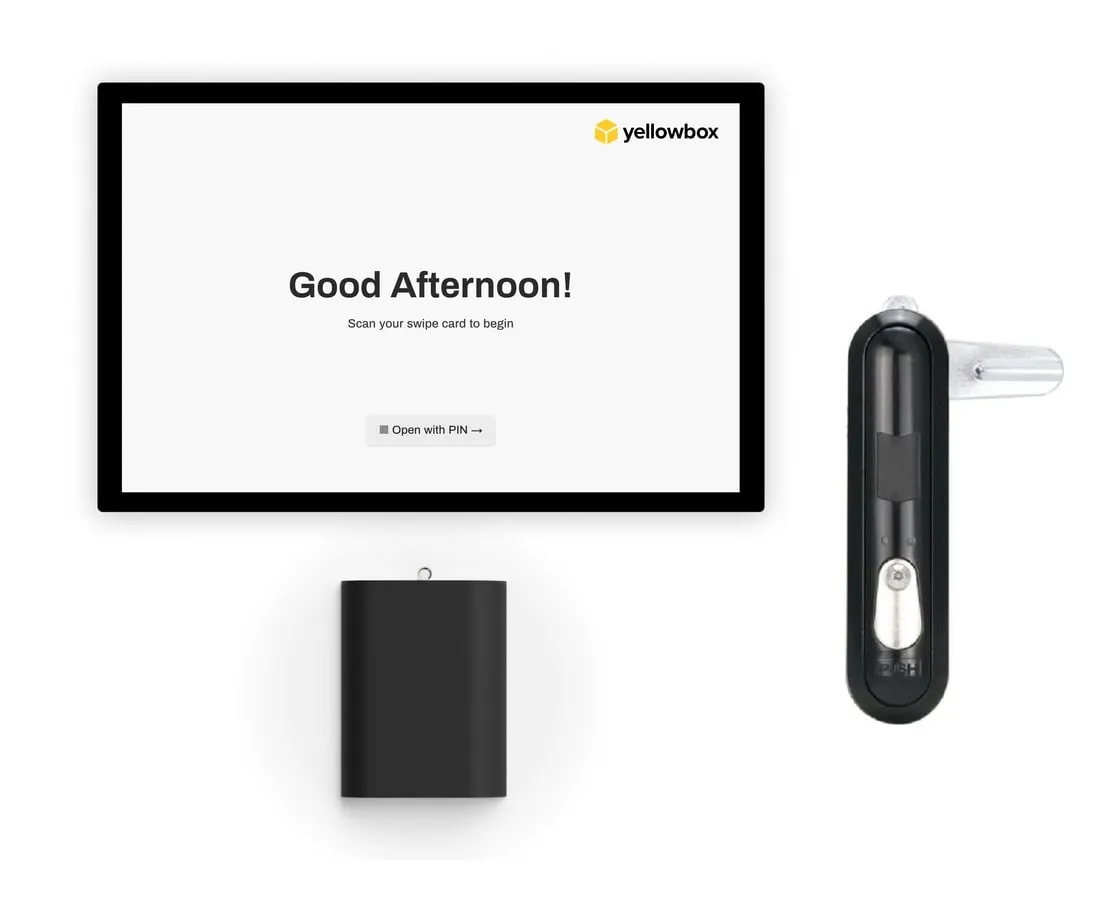
Electronic handles on each cabinet, controlled from a centralised reader: a Yellowbox Kiosk at the end of the row. People tap a compatible access card or phone at the Kiosk, and the handle on their assigned cabinet unlocks. One Kiosk serves many cabinets.
The Yellowbox Dashboard brings every cabinet, card, Kiosk and permission across your sites into one secure, cloud-based system.
The Yellowbox Dashboard lets administrators grant and remove access, unlock cabinets remotely and review activity across every data hall. Seamless Integrations with your existing access control and identity systems make it easy to onboard people and cards.
Both handles fit the rectangular swing handle cut-out used on many server cabinet doors. Where the door and latch match, racks are upgraded in place without replacing the cabinet. Send us your cabinet make and model and we will confirm the fit and the right option before you order.

From multi-tenant colocation halls to a single comms room, control who can open each rack.

Give each customer access to only their own cabinets, wherever they sit in a shared hall, without handing out keys from a key safe.
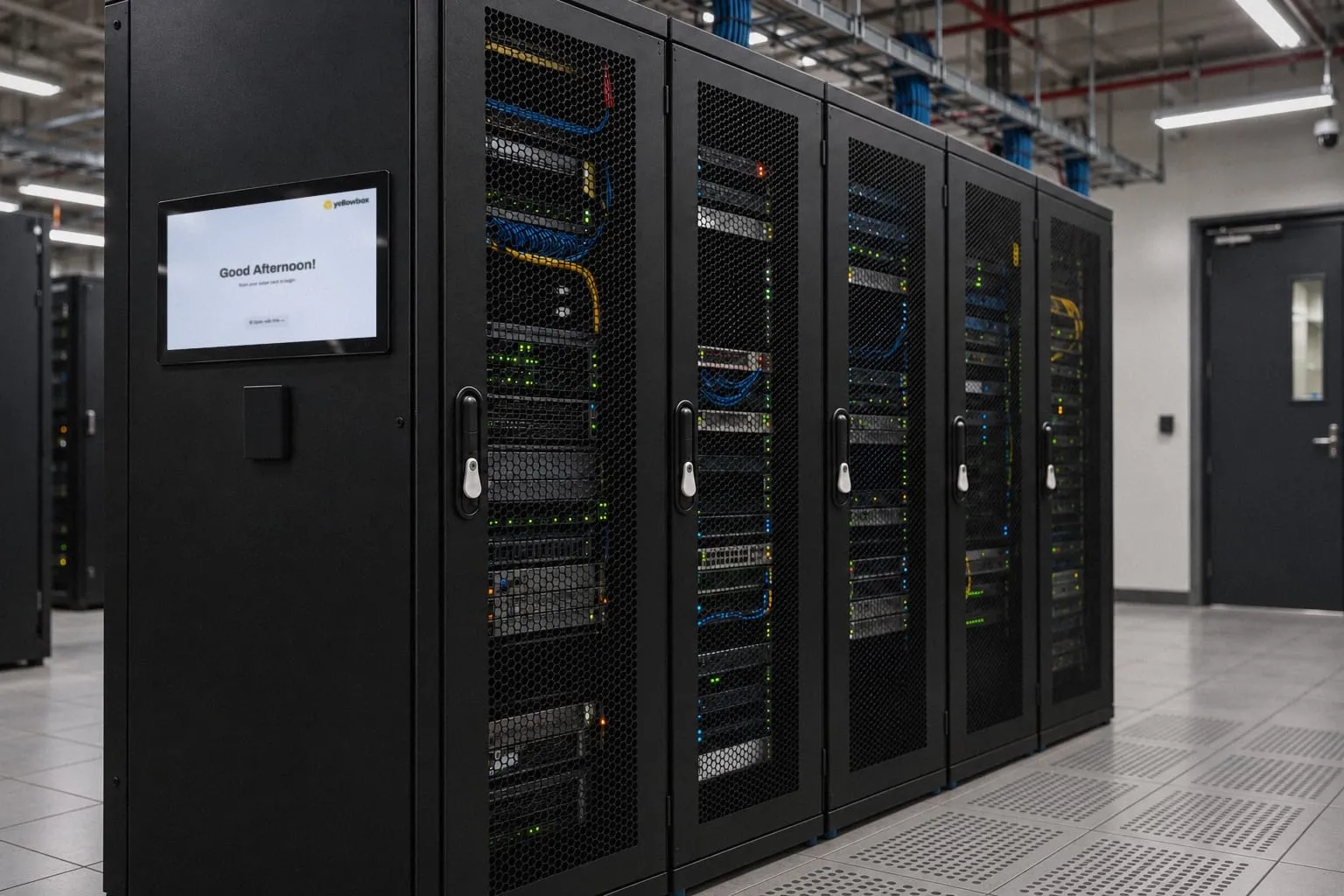
Put a Yellowbox Kiosk at the rack, so staff can open cabinets with their compatible building access card or phone.

Give vendors and field engineers access to only the racks they are servicing, without lending out keys.
A swing handle lock replaces the standard handle on a server cabinet door. It stays locked until an authorised person taps a card, enters a PIN or opens it from the Yellowbox Kiosk, or an administrator unlocks it remotely. The handle then swings out to open the door.
With tap at the cabinet door, each handle has its own card reader and keypad, so people check in at the cabinet they want to open.
With tap at the rack, cabinets have electronic handles controlled from a centralised reader. People tap their card or phone at a Yellowbox Kiosk nearby, and the handle on their assigned cabinet unlocks. One Kiosk serves many cabinets and works with compatible building access cards and mobile credentials.
Tap at the cabinet door suits cabinets spread across shared rows, such as colocation tenants, and racks that need card + PIN at the door.
Tap at the rack suits rows, cages and server rooms where people already carry HID access cards or mobile credentials. You can combine both in one facility, managed in the same Yellowbox Dashboard.
Yes, with compatible credentials. The Yellowbox Kiosk’s HID reader works with RFID access cards, HID Mobile, Apple Wallet and Google Wallet, and people can link their own card to their account with single sign-on.
Integrated reader handles read 13.56 MHz smart cards. Tell us which cards and mobile credentials your team uses and we will confirm compatibility for each option before you order, or supply cards.
Often, yes. The integrated reader handle fits a 164 by 32 mm swing handle cut-out and the handles used with the Kiosk a 160 by 32 mm one. Send us your cabinet make and model and we will confirm the fit before you order.
Yes. In the Yellowbox Dashboard you assign each cabinet to the people or teams who need it, such as a tenant’s staff or a maintenance contractor, and remove access when it is no longer needed.
Yes. Card, PIN, Kiosk and remote unlocks are logged with the cabinet, the person or card, and the time. Logs can be searched in the dashboard and exported for audits.
Openings with the mechanical override key happen outside the electronic system, so keep override keys under separate control.
Handles used with the Kiosk fail secure, so doors stay locked without power. Both handles have a mechanical override key, so authorised staff can still open a cabinet in an emergency.
The Yellowbox Dashboard integrates with access control and identity systems to onboard people and cards, and the Kiosk’s HID reader works with the access cards and mobile credentials many buildings already use.
Standard rack locks use keys that are easy to copy, share and lose, and they leave no record. An electronic swing handle checks each person’s access, records card, PIN, Kiosk and remote unlocks, and can be managed remotely.
Yes. Fit a handle to each door and give access to the people who need each one.
Tell us about your cabinets, access control environment and deployment plans. We will help you check compatibility and design the right rack-level security approach.