
In 2026, US workplaces are evolving rapidly under hybrid work, sustainability targets and smart-office innovations. Smart locker systems are no longer just a nice-to-have—they’re playing a key role in flexible workspaces, asset-management and employee experience.
What is a Smart Locker?
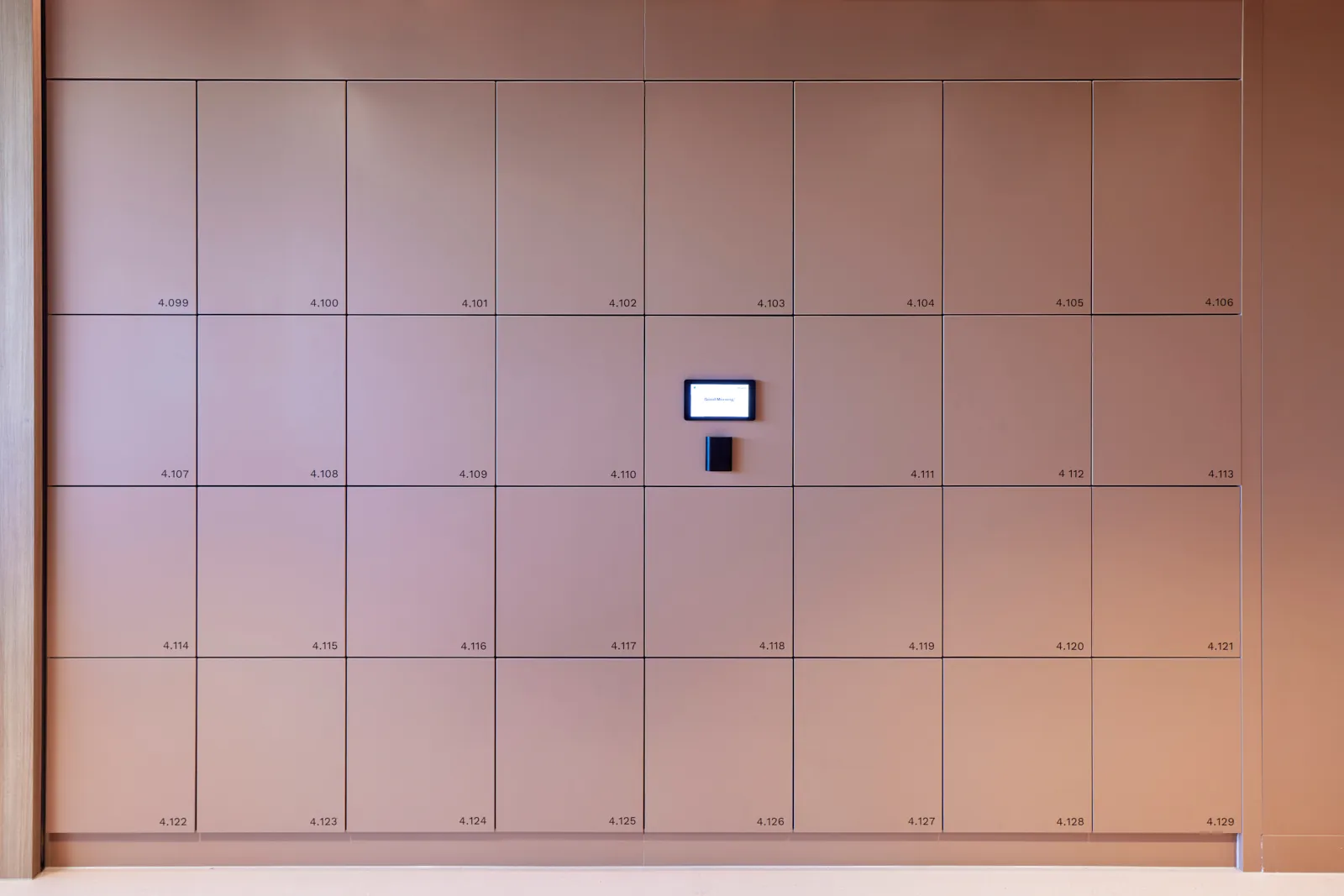
Smart Lockers are equipped with electronic locks (wireless or hardwired) on each door, connected to IoT hardware (like a touchscreen kiosk) and software (including a user app and a management dashboard). They are also known as digital lockers, intelligent lockers, automated lockers, electronic lockers, and IoT lockers. Primarily, smart lockers in workplaces offer employees a streamlined way to access their storage, while significantly cutting down the costs associated with manual locker management.
For those looking for a contextual analysis, this Smart Locker Comparison and Evolution article does a good job looking at smart lockers and how they have evolved over time.
How Do Smart Lockers Work?
Users can book and access smart lockers through various methods, such as RFID cards, locker apps, workplace apps (like Microsoft Teams), and PIN codes. These methods verify the user’s identity and pinpoint the specific locker they’re assigned or entitled to use. Locker management is facilitated through a dashboard or management app, allowing facilities managers to adjust settings (like configuring hot lockers, permanent lockers, or parcel lockers), assign lockers, monitor usage patterns, remotely open lockers, and analyze their utilization.
You can visualize the key elements of smart lockers through seeing the access methods and management software in action.
How are Smart Lockers Integrated with Existing Systems?
Smart lockers can be integrated with employee databases (e.g. Microsoft Active Directory, Okta AD), security systems (e.g. HID security access cards), and workplace apps, (e.g. Microsoft Teams). These integrations combine to create a seamless experience for users and management, saving hours on onboarding.
How do Smart Lockers Compare to Traditional Lockers?
Smart lockers upgrade the traditional locker experience offering remote access, enhanced security, and user convenience through digital interfaces like apps or PIN codes. They streamline management with real-time monitoring and customizable controls, a leap from the manual, key-dependent operations of conventional lockers. Essentially, they’re designed to fit modern needs, providing adaptable, efficient, and secure storage solutions. Read more about how smart locks and traditional locks compare.
What Should I Consider When Purchasing a Smart Locker System?
Consider the following:
- The desired access methods for users to book and access lockers.
- The locker allocation rules, such as a 70% permanent allocation and 30% for hot locker usage.
- The type of lock required, such as wireless or wired.
- The intended use case, like storage, parcel delivery, or IT exchanges.
Yellowbox can provide a free audit and provide best practice recommendations around how your smart lockers should be used for your use case.
What Are the Common Use Cases for Smart Lockers in the US?
In the United States, smart lockers are frequently utilized for office storage, parcel pickup, and as storage solutions on college or university campuses.
How Can I Purchase Smart Lockers?
****You can acquire smart lockers from specialized providers such as Yellowbox.
For architects and interior designers, smart lockers can be specified by selecting a locker and a smart locker lock, e.g. Yellowbox Wired Lock.
FAQ's
What is a smart locker?
A storage locker fitted with an electronic, keyless lock instead of a key or padlock. It is a digitally managed storage solution, opened through mobile, RFID or PIN methods and managed centrally through a dashboard.
How do you open a smart locker?
Ideally with a credential people already have: a building access card or RFID fob, a mobile app, a digital wallet pass (Apple or Google Wallet), a PIN, or a touchscreen kiosk. Some systems also allow access from workplace apps like Microsoft Teams or Outlook.
Can a smart locker system integrate with our access control?
The better systems integrate directly with common access control and identity platforms, and with a company active directory, so staff use one credential and provisioning happens automatically when people join or leave.
Do smart lockers reduce how many lockers you need?
Yes. Not everyone actually needs a locker: based on Yellowbox's data, only around 60 to 70 per cent of people do. Letting staff book their own, and tracking which lockers fall idle, shows who genuinely needs one, so you can provide fewer and save up to around 30 per cent on lockers and floor space.
How much do smart lockers cost?
It depends on the number of lockers, kiosks, the joinery, integrations, and the software subscription. Traditional locks are cheaper upfront, but their manual administration costs large organisations a great deal each year, and because shared smart-locker models also need fewer lockers, the right system can reduce total spend while saving admin time.
Planning your workplace locker strategy?
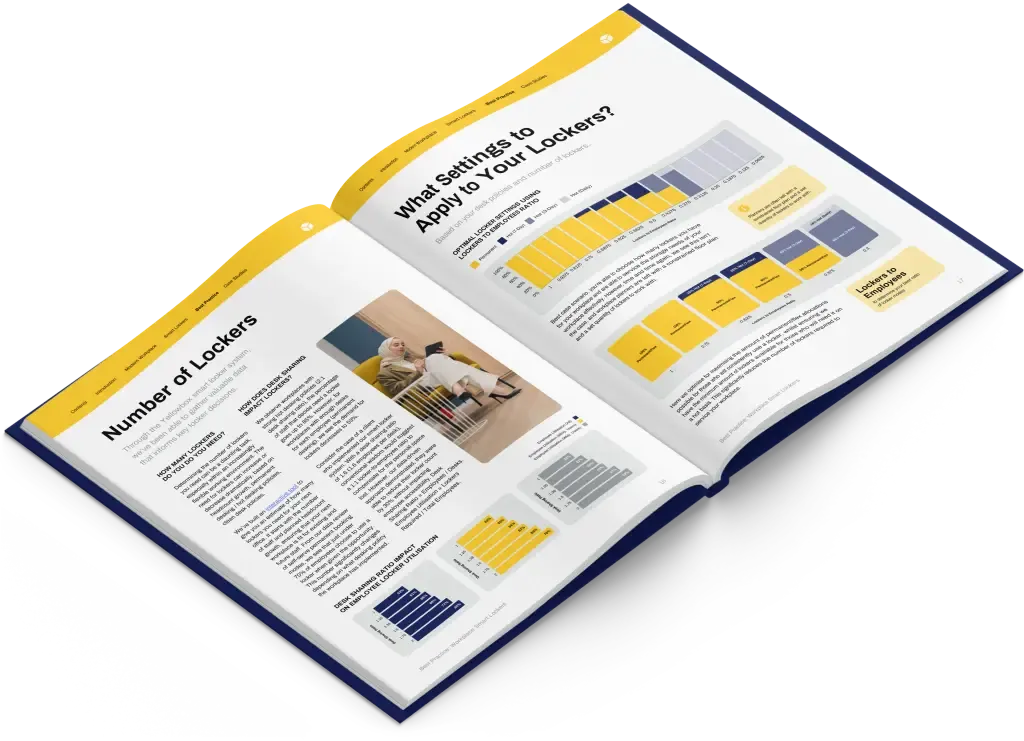
Get the best-practice guide to planning, implementing and managing workplace lockers, with insights from hundreds of workplaces.