News
Yellowbox Launches Microsoft Outlook Integration
For the first time, users can book, manage and open their lockers all through the Microsoft Outlook app.
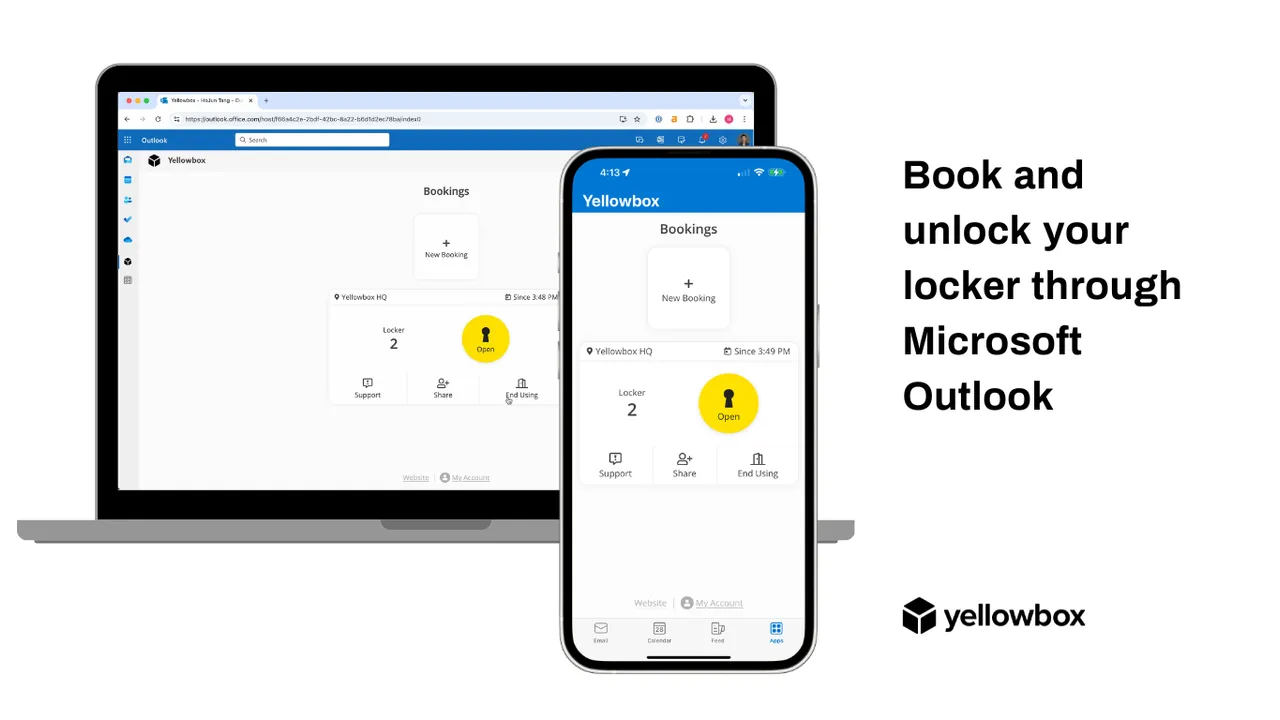
📣 We’re incredibly excited to announce the launch of Yellowbox within the Microsoft Outlook App!
At Yellowbox, we’re redefining how lockers work in the modern workplace. For the first time ever, users can now book, manage, and open their locker(s) directly within the Outlook app and browser—no extra downloads needed.
This integration delivers a frictionless mobile experience, empowering users to access their lockers with the tools they already use every day.
For workplace teams, deploying Yellowbox is effortless—it can be automatically pushed to all users’ Outlook apps, delivering instant smart access across the organisation.
Yellowbox is a leader in smart locker technology for workplaces, creating intuitive locker access and management experiences for hundreds of thousands of users across four continents.
We proudly serve a global footprint of Fortune 500 and multinational customers including Nike, Hinge, and Canon, delivering premium, tech-driven solutions for modern offices.